


What Is 12306’s Waitlist Feature?
If you’ve ever tried booking Chinese high-speed rail tickets during peak travel seasons—like the Spring Festival (Chunyun) or National Day holiday—you’ve likely seen the dreaded “sold out” sign on 12306, the official ticketing platform. But there’s a hidden gem: the waitlist (候补) function. It’s a free, official queue system that automatically grabs tickets when others cancel or when the railway releases additional capacity.
Think of it like a virtual standby list at an airport, but smarter. You don’t have to keep refreshing the page. You place an order, pay a deposit, and the system does the work for you. When a ticket becomes available, it’s assigned to you in order of waitlist priority.
Why You Should Never Pay for Third-Party ‘Speed Boost’ Tools
Many travelers, especially newcomers, are tempted by third-party apps like Ctrip or去哪儿 that offer paid “accelerators” or “speed boost” packages. Here’s the truth: these services have no special access to tickets. They simply use automated scripts to check availability faster, but they often run into 12306’s anti-bot measures and can even be slower than the official waitlist.
The waitlist is officially prioritized by the railway system. This means: if a ticket becomes available, waitlist users get it before any other method. And it’s completely free—no extra fees, no bundles.
A real example: Last Spring Festival, I needed a ticket from Beijing to Chengdu. All direct trains showed sold out. I immediately placed a waitlist order for two trains at different times. Three hours later, I received a text message: “Your waitlist order has been successfully fulfilled.” I paid the same price as the original fare, and no extra charge. My friends who bought ‘speed boost’ packages on third-party apps got nothing and had to refund after 24 hours.
Step-by-Step: How to Use the Waitlist on 12306
Follow these steps directly in the official 12306 app (available in Chinese only, but the interface is intuitive).
Step 1: Search for Your Route and Date
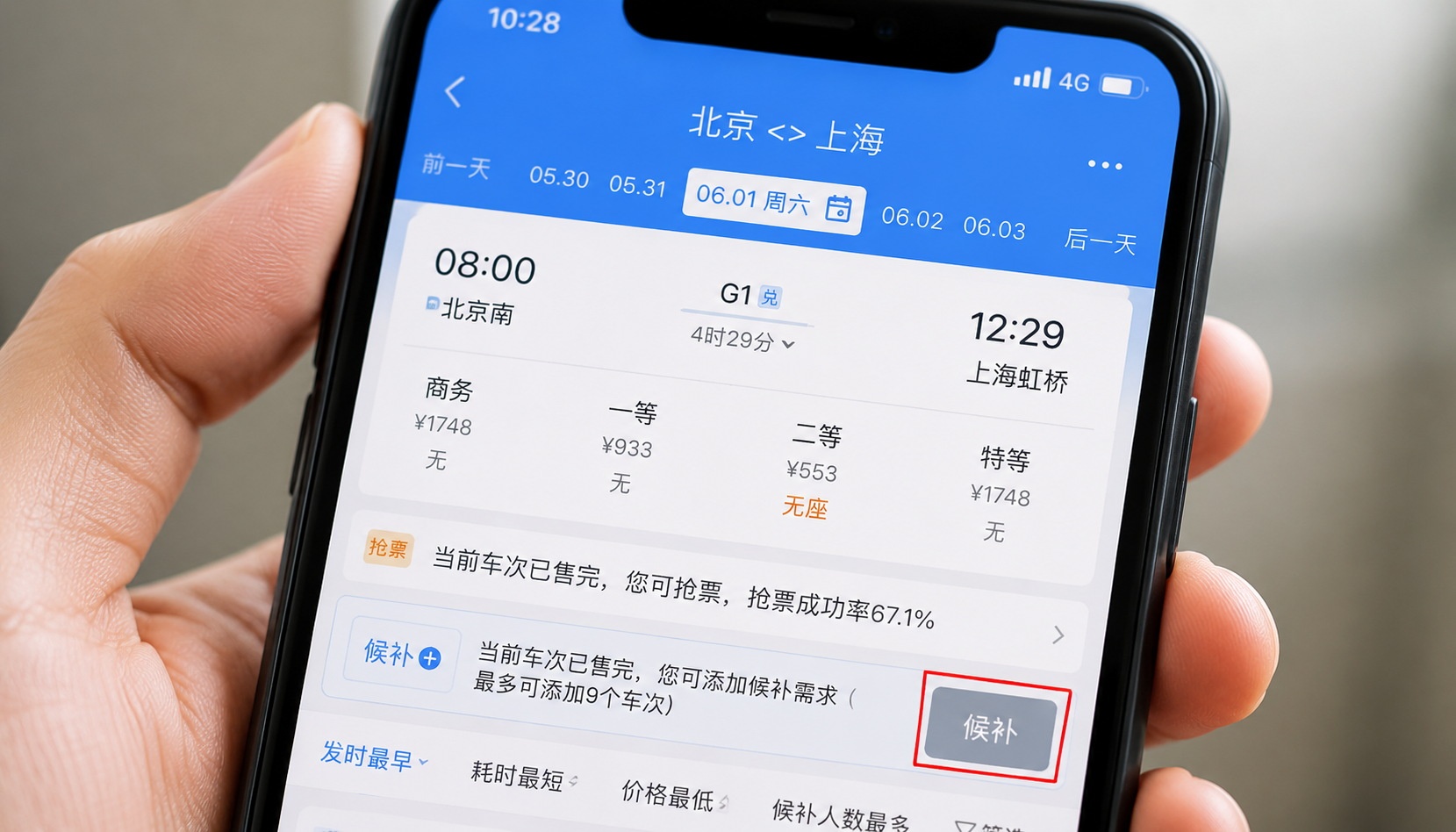
Enter departure city, destination, and travel date. If the results show a train with a gray “候补” button next to it, that means tickets are sold out but waitlisting is available.
Step 2: Tap the Waitlist Button
Tap the gray “候补” button. A pop-up will ask you to confirm your travel details. You can also add multiple trains and date options for the same route.
Step 3: Set Your Waitlist Priority and Cutoff Time
You can choose up to 10 trains (from different departure times or even two adjacent dates) per waitlist order. The system will prioritize the earliest departure you select. Also, set a “waitlist cutoff time”—for example, 1 hour before departure. If no ticket is found by then, the order will automatically cancel and refund your deposit.
Step 4: Pay the Deposit
The deposit equals the full ticket price. Payment is required to submit the order. Accepted methods include Alipay, WeChat Pay, and bank cards.
Step 5: Wait and Receive Notification
Once submitted, you can monitor the progress in the “My Orders” > “Waitlist Orders” section. The status will show “waiting for assignment” or “partially assigned” (if you requested multiple tickets). When a ticket is secured, you’ll get an SMS and in-app notification. You must confirm within 30 minutes (usually by tapping “confirm”) to keep the ticket, or the system will cancel and refund.

Tips to Boost Your Waitlist Success Rate
- Choose multiple trains and times. The more options you include, the higher the chance of catching a cancellation or new release. For long journeys, consider both express and slower trains.
- Consider adjacent dates. If your trip is flexible, try adding the day before or after. This dramatically increases success.
- Set a reasonable cutoff time. Don’t set it too early (e.g., 2 days before departure) because many cancellations happen within 24–48 hours of departure. A good rule: 1–2 hours before departure.
- Use the official app, not third-party. The app handles notifications and refunds much faster. Also, you can modify or cancel your waitlist order anytime before it’s fulfilled.
- Be patient. The waitlist can work even minutes before departure, as people dash for refunds.
Important Notes and Common Pitfalls
- Confirmation is mandatory. If you miss the confirmation window after a ticket is found, the order is canceled and refunded automatically. Check your phone frequently.
- Partial fulfillment. If you wait for 2 tickets (e.g., for you and a friend), the system may only assign 1. You can choose to accept the partial or continue waiting.
- Refund policy. If no ticket is secured by your cutoff time, the full deposit is refunded automatically within 7 business days. No extra charges.
- No need to pay extra for ‘accelerators’. Seriously, ignore those.

Conclusion
The 12306 waitlist is a powerful, free tool that every traveler to China should know. It’s particularly useful during holidays like Spring Festival, when millions compete for the same seats. By following the steps above and staying flexible, you can dramatically increase your chances of getting a ticket—without wasting money on fake speed-ups. Remember: official waitlist first, third-party never.